Getting Started
Install Zeina Theme
-
First of all, you should check the version of phpBB you are using so that you can upload the appropriate theme version.

-
Log in to cPanel and click on the File Manager.

-
Open public_html folder.

-
Open ext folder.

-
Open the "Extension Files" folder that matches your phpBB version and upload its contents into the "ext" directory of your phpBB installation. You can compress the files as one file called ext.zip and upload it at once.
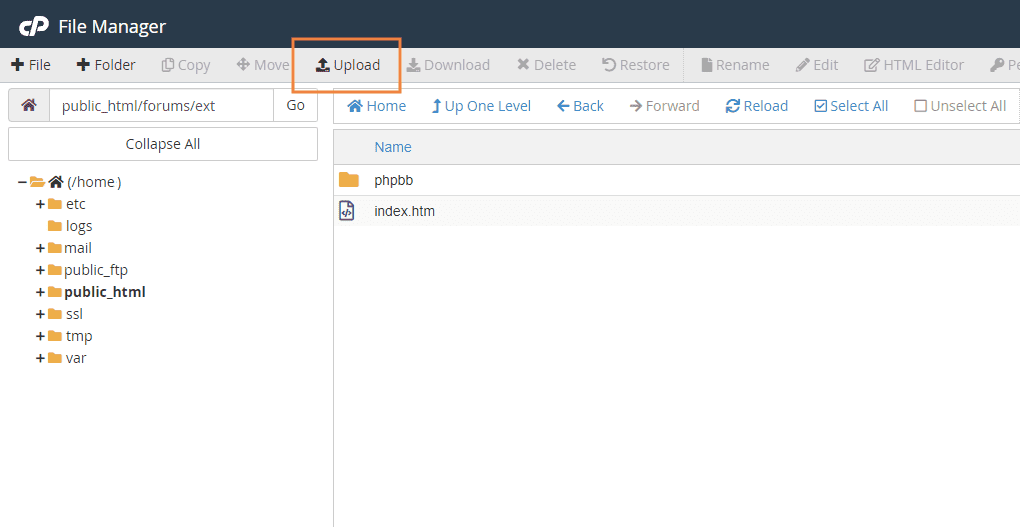
-
After uploading, extract the ext.zip file. Please make sure the path looks like this "public_html/ext/leenoz/zeina".
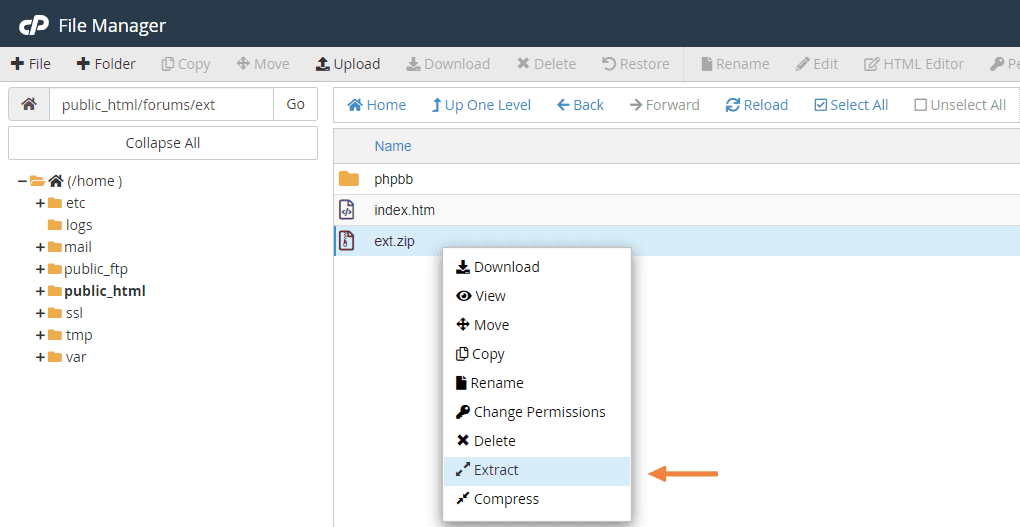
-
From public_html folder, open styles folder.
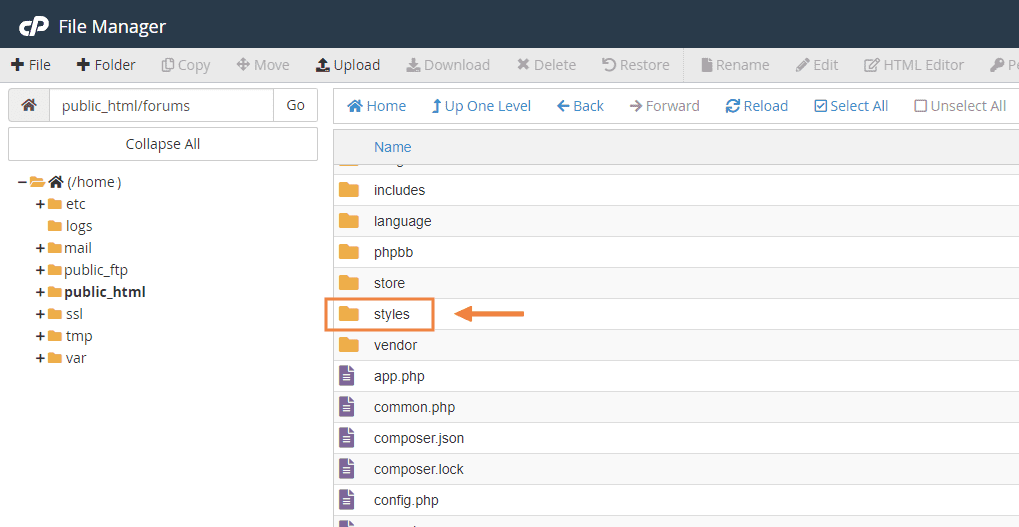
-
Open the "Theme Files" folder that matches your phpBB version and upload its contents into the "styles" directory of your phpBB installation. You can compress the files as one file called style.zip and upload it at once then extract it. Please make sure the path looks like this "public_html/styles/zeina".
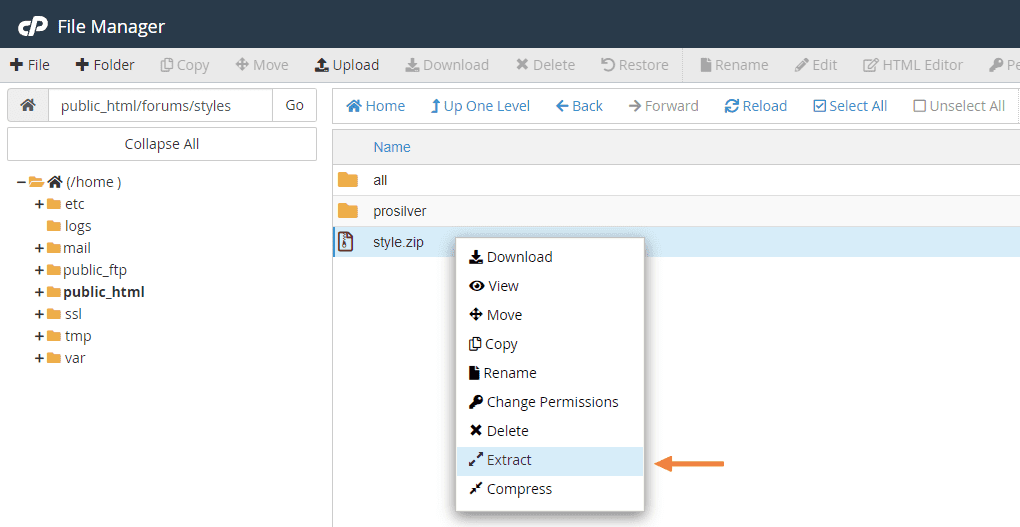
-
Go to phpBB control panel.

-
From Customise tab, enable Zeina Theme extension.

-
From Style Management choose Install Styles

-
After installation, go back to the list of styles and click on Details

-
Make sure the style is activated and default.

-
Go to Board settings from General tab and under Board style select Zeina as default style.

-
Congratulations! You’re all set. Head over to the Zeina Panel tab to start customizing your forum and enjoy the experience.
