Theme Settings
Permission Control
Verano Theme fully respects phpBB’s permission system, ensuring a private and personalized experience for every administrator. All theme settings are saved per user, which means each administrator can have their own unique layout, color scheme, and menu preferences without affecting others. This is especially useful when multiple team members access the ACP with different workflows or visual needs.
Tutorial
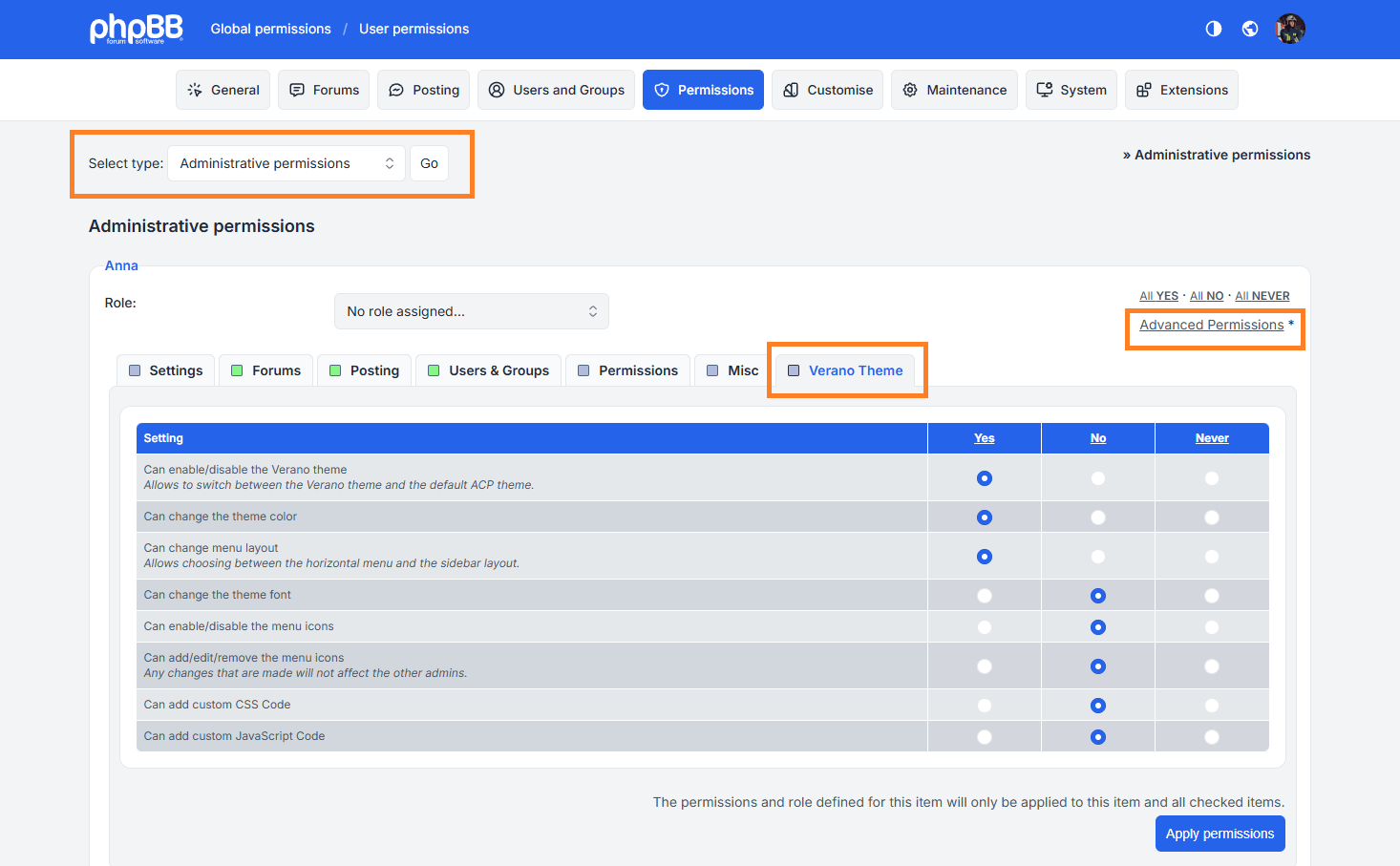
Open the User Permissions page, and from the Verano Theme tab, you can access the permissions assigned to each user.
- Select type: Administrative permissions.
- Then click on the Advanced Permissions link.
- From the Verano Theme tab, you can assign specific permissions to each user, such as changing the Light & Dark Mode, color scheme, or font style.
Any theme settings you change will only apply to your account and will not overwrite other users’ settings.